Setting up a smart home as a renter used to mean either giving up on half of it or risking your deposit. In 2026, that compromise is mostly gone — but only if you set things up in the right order and skip the wrong products. This is the checklist I wish I'd had when I moved into my last three apartments.
This post contains affiliate links. We may earn a small commission at no extra cost to you. Quick answer / TL;DR: On moving day, set up Wi-Fi first, then a hub or voice assistant, then plug-in essentials (smart plugs, a smart bulb in the lamp by the door, an entry sensor on a window). Save thermostats, locks, and cameras for week two — they need lease checks and tenant-safe mounting. Buy nothing that requires drilling new holes until you have read your lease and tested the no-tools alternative.I'll walk through this in three phases: Day 1 (under two hours, no tools), Week 1 (a few small purchases), and Month 1 (the upgrades worth waiting for). At each step I'll flag the lease-sensitive stuff so you don't accidentally void your deposit.
Phase 1: Day One (Under Two Hours, No Drilling)
The goal here is not a finished smart home — it's just enough automation to feel settled before your boxes are unpacked.
1. Get the network right before anything else
Plug in your router somewhere central and slightly elevated. If the apartment came with an ISP-provided combo unit jammed in a closet, accept that for tonight but plan to replace it. A weak 2.4 GHz signal is the single biggest reason smart home setups feel flaky.
If you've already got Wi-Fi pain points (back bedroom, kitchen), a mesh system like the TP-Link Deco X20 takes 15 minutes and solves more "smart home problems" than any individual gadget ever will. See our renter-friendly smart home guide for sizing and setup priorities.
2. Pick a voice assistant — just one
Echo, Google Nest, or HomePod — pick one ecosystem and stick to it for the first month. Mixing them on day one creates more frustration than novelty. An Echo Dot at $50 covers 90% of renter use cases (timers, lights, music, intercom).
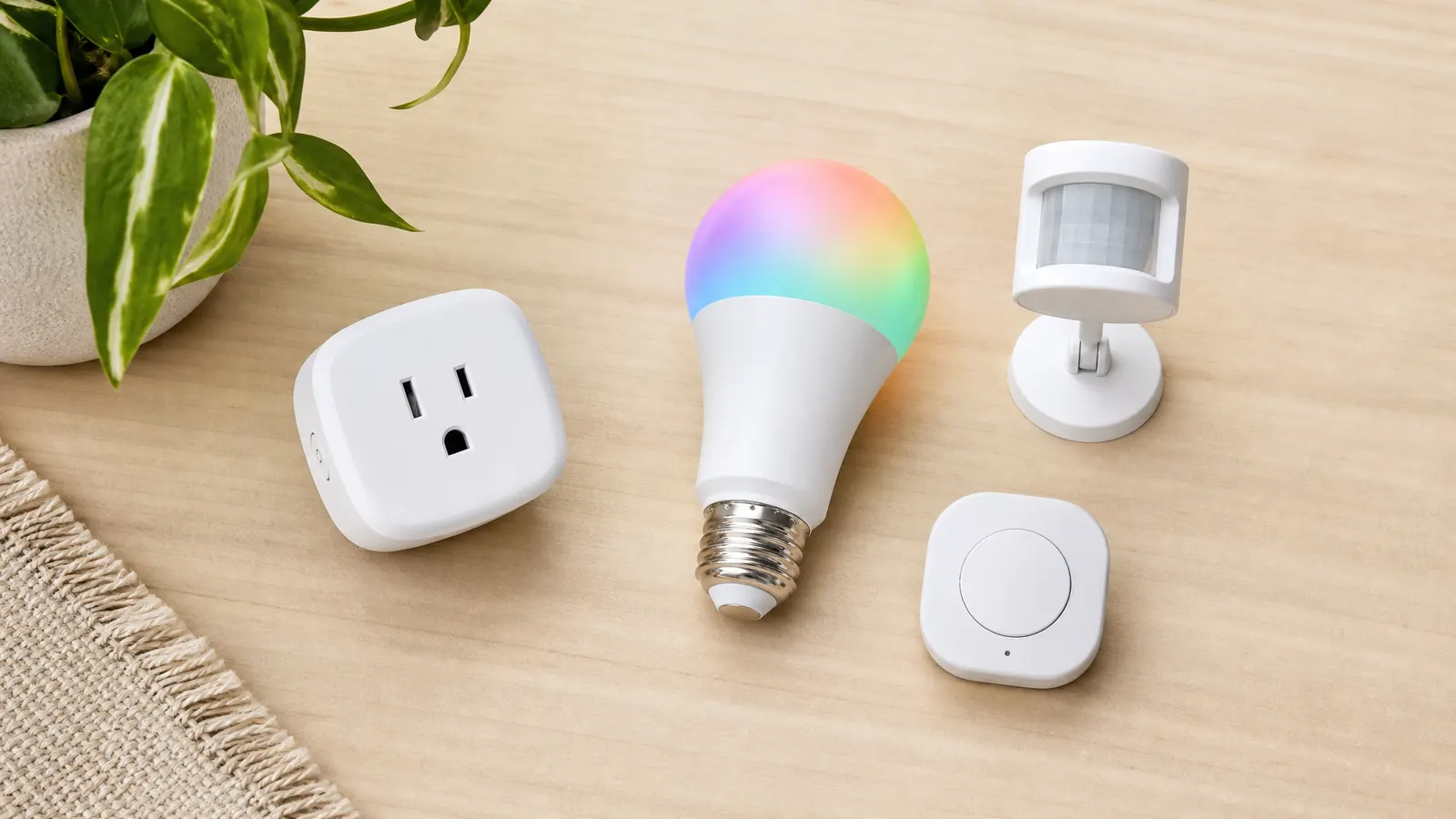
3. Smart plug + one smart bulb
The single best "feels like a smart home" purchase is a smart plug on a lamp near your entryway, plus a smart bulb in your bedroom. Two devices, ten minutes, zero installation. That's it for night one — you can unpack tomorrow.
Phase 2: Week One (The Quick Wins)
By the end of week one you want enough automation that you stop thinking about it. None of this requires drilling.
Lighting
A four-pack of plug-in smart bulbs for table and floor lamps gets you most of the way. Skip retrofitting ceiling fixtures — those usually need an electrician and a landlord conversation. Tap-to-attach smart switches like the Lutron Aurora are a clever workaround that doesn't replace the existing switch, just covers it.
Entry sensing without drilling
A peel-and-stick contact sensor on your front door tells you the door opened. That's it. It sounds simple, but it is the single most useful security primitive for renters — you can route it into a notification or a "lights on when I come home" routine. Aqara and SwitchBot both make good ones; the Aqara P2 is reliable.
Smart speaker placement
If your unit has an open kitchen/living layout, put a second speaker in the kitchen. If you have a separate bedroom, put one there. Voice commands fail when you have to shout from another room.
Robot vacuum (optional but high-ROI)
For under 800 square feet, a basic robot vacuum pays for itself in time within a month. We've covered the best picks for small apartments — the key is to size down and pick one that fits under your couch.
Phase 3: Month One (The Bigger Swings)
Now the lease-sensitive stuff. Don't rush this — these are the items most likely to cause a deposit fight if done wrong.
Smart thermostat — only after the lease check
If your apartment has its own thermostat (not a building-wide system), a smart thermostat is the single highest-ROI smart home device. But: photograph the existing one before you touch it, store the old one in a labeled bag, and reinstall it before you move out. We've written a full renter's guide to smart thermostats — read it before buying.
Smart lock — only if your lease allows
Smart locks fall into two camps. Interior-only conversions (like the August Wi-Fi) keep your existing deadbolt and replace only the inside thumb-turn — most landlords accept these. Full lock replacements are usually not allowed without explicit written permission. Don't assume; ask.
Indoor cameras — placement matters more than spec
Skip exterior cameras unless you have a private entrance and written approval. Indoors, place cameras to monitor what you care about (a pet, a package drop zone inside your unit), not your neighbors. Privacy mode on devices like the Wyze Cam v4 lets you flip them off when you're home.
What to Skip as a Renter
A few things I'd specifically avoid on principle:
- Hardwired anything. No hardwired doorbells, no hardwired light switches, no hardwired sensors.
- Devices that require firmware updates through a service that may not exist in two years. Stick to major brands with cross-platform support (Matter, HomeKit, Alexa, Google).
- Building-controlled "smart apartment" packages. Use them as provided, but don't invest your own money on top of them — when you move, you lose everything.
Budget Snapshot
Here's a realistic starting budget for a one-bedroom apartment:
- Hub/speaker: $50
- 4-pack smart bulbs: $40
- 2 smart plugs: $25
- 1 door sensor: $20
- Mesh Wi-Fi upgrade (if needed): $150
- Smart thermostat (after lease check): $130
That's a complete starter setup for under $250 — and under $400 with a Wi-Fi upgrade. Spread across two paychecks, it's painless.
FAQ
Q: Will my landlord care if I install smart plugs and bulbs?No. These plug into existing outlets and screw into existing fixtures. They are functionally identical to any lamp or LED bulb you'd own. Just take them with you when you move out.
Q: What about my Wi-Fi router — can I replace the one my landlord provided?Usually, yes, but check your lease. Some buildings require you to use their ISP package. If you can replace it, plug yours in behind theirs (or replace theirs entirely) and you'll have full control.
Q: I'm renting a short-term place for six months. Is any of this worth it?The plug-in stuff (bulbs, plugs, sensors, speakers), absolutely — it all comes with you. Skip the thermostat and lock; not worth the friction for six months.
Q: What if my lease forbids smart home devices outright?That's rare but it happens, especially in furnished short-term rentals. Read the actual clause — usually it's about modifications, not plug-in devices. If in doubt, email your landlord and get a yes in writing.
Q: Should I worry about device data privacy in a rented space?Yes, the same as anywhere else. Don't put cameras in shared walls' line-of-sight, name your Wi-Fi something unrelated to your unit number, and disable cloud features you don't use.
---
The renter-friendly smart home is no longer a half-version of the homeowner one — it's just sequenced differently. Get the no-drill basics in by Day 1, fill in the lease-sensitive items by Month 1, and you'll have a setup that travels with you to your next place.